Your hours on the big screen.
Your week, month and year at a glance, plus a timesheet ready to copy. Straight from your phone, through your webcam. No account, no cloud, no cable.
In Chrome or Edge, on a computer with a webcam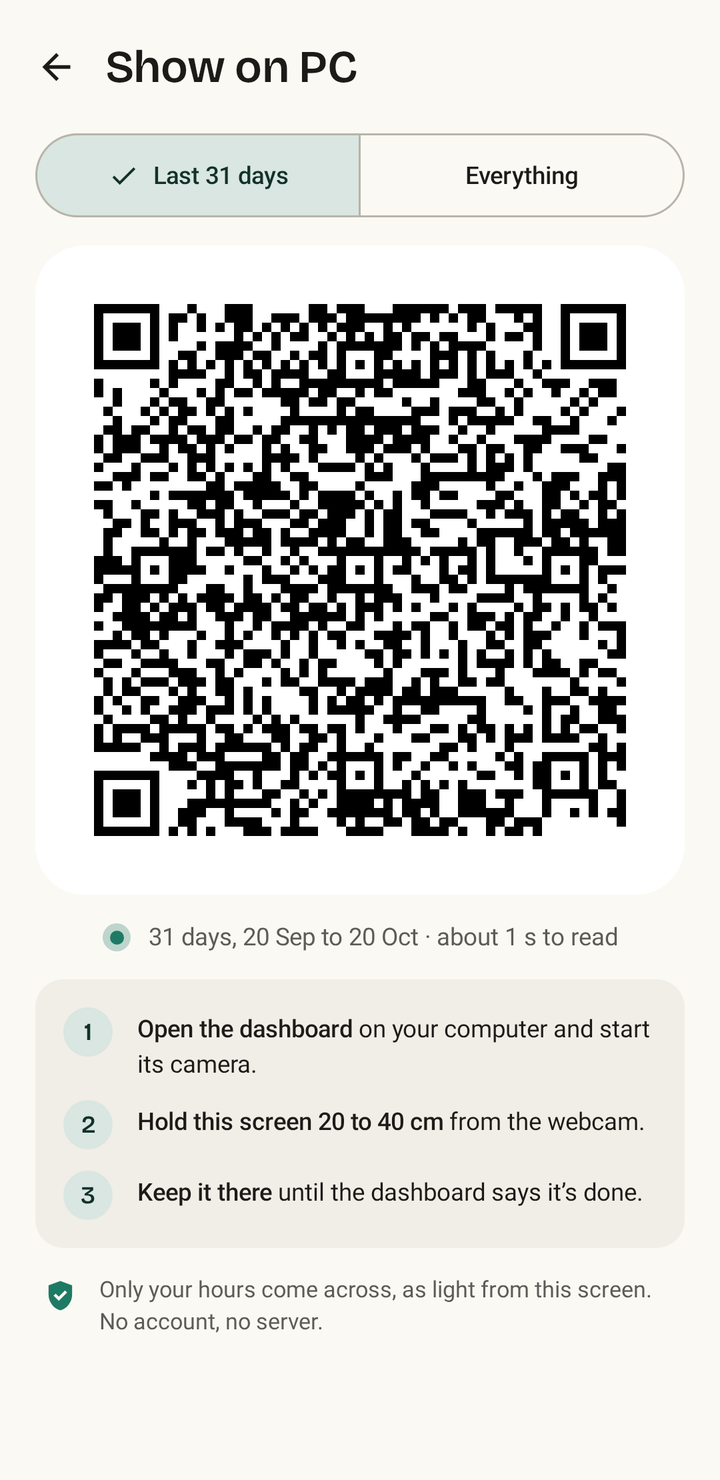
Sync
Your days travel as light.
Your phone shows a moving code, your webcam reads it, and your browser puts the days back together and checks them. Nothing goes over any network.
- 1Open the dashboard on your computer and start the camera.
- 2Tap Show on PC in Pukuku on your phone.
- 3Hold it 20 to 40 cm from the webcam, brightness up. A month takes about a second, a year a few seconds.
Four views
From one day to the whole year.
The dashboard shows what your phone sent and points out the days worth a second look. Fixes still happen on your phone.
Stays on this computer
No account. No server. No cloud.
The dashboard is just a page, with no server behind it. Your days live in this browser and nowhere else.
No connections out. Its security settings only let the page load its own files.
Your phone has the final say. Each sync brings the latest version of a day, and an older copy never overwrites a newer one.
As honest as your phone. Guessed time is striped, a day still running fades out, and a day without data says so.
Yours to keep or clear. Save a backup file, move it to another computer, or Forget all data in one click.
Have a look first.
The dashboard comes with a year of sample days, so you can try every view before you sync your own.